
Want to build a workspace your team actually wants to show up to?
Having a fully-functional office was never just a “nice to have” it’s what separates a productive team from one that just punches the clock. The way teams operate today is different, and so should your office space. Remember, a good workspace equals:
- Higher productivity
- Better retention
- Stronger collaboration
Here’s the problem:
Offices today are still stuck in the past. They’re designed for how teams worked in 2015. The desks, technology and floor plans aren’t conducive to how teams operate today. If you want different results, you need a different set up.
Learn how to design your ideal hybrid workspace with this complete breakdown.
Let’s jump in!
What’s inside this guide:
- Why a Fully-Equipped Office Still Matters
- Essentials Your Office Cannot Skip
- Tech Stack for Modern Teams
- Designing Spaces That Work for Hybrid Teams
Why a Fully-Equipped Office Still Matters
The hybrid work model has completely shaken up how offices get used.
The share of employees working hybrid schedules actually increased from around 20% in 2019 to roughly 53% in 2025. This means the majority of teams work part-time from home.
But here’s the catch…
When employees DO come into the office, they should be able to experience something their home environment doesn’t offer. This is where a fully-equipped office plays a huge role. A properly outfitted, fully-equipped office provides your employees with upgraded technology, conference rooms, and ergonomic furniture they can’t reasonably replicate at home.
If working from the office is a worse environment than someone’s kitchen table… they’ll pick the kitchen table.
A fully-equipped office:
- Increases productivity: With minimal distractions your team will work more efficiently.
- Attracts top talent: Quality candidates expect modern, well-designed workspaces.
- Builds culture: Your office should give employees a reason to come in and bond.
Get this right and you create a space worth showing up to.
Essentials Your Office Cannot Skip
Before you stress about high tech features and slick designs… Get your fundamentals right. These are office essentials.
Ergonomic Furniture
Don’t cheap out on chairs and desks. Period.
Why? Because poor ergonomics is expensive. Studies have found that ergonomic office spaces can boost productivity by up to 40% primarily through less pain distraction and musculoskeletal health.
Your essential furniture checklist:
- Adjustable, supportive office chairs
- Sit/stand desks where possible
- Monitor arms to prevent neck strain
- Proper task lighting at every workstation
Skimp here and you’ll pay for it in sick days, turnover, and lower output.
High-Speed Internet & Power
This one sounds obvious… But you’d be surprised how often it gets messed up.
Every workstation needs:
- Reliable, high-speed Wi-Fi (with a wired backup)
- Plenty of power outlets within reach
- USB-C charging at desks where possible
Having the internet go out during a call with a client totally deflates the “fully-equipped office” illusion.
Meeting Rooms (With Real AV Gear)
Meeting rooms aren’t just rooms anymore. They’re hybrid meeting hubs.
Every meeting room needs:
- A large display with HDMI and wireless casting
- A quality camera for video calls
- Echo-cancelling microphones
- An easy-to-use room booking system
Hybrid only works if remote participants can hear and see what is happening in the room.
Tech Stack for Modern Teams
Furniture gets you started. Tech is what makes the office actually function.
Collaboration Software
For your team to collaborate effectively, they need the proper tools — whether they’re in the office or remote. Here are the essentials:
- A video conferencing tool (Zoom, Teams, Google Meet)
- A messaging platform (Slack, Teams)
- A project management tool (Asana, ClickUp, Monday)
- A shared cloud drive (Google Drive, Dropbox, OneDrive)
Select applications your team will actually use. Resist the temptation to overload your group with flashy software.
Hardware Worth The Investment
Modern offices need modern hardware. Here’s the short list:
- External monitors at every desk (dual monitors are a productivity win)
- Quality wireless headsets for calls
- Webcams better than the default laptop one
- A solid printer/scanner setup (still surprisingly needed)
Security & Network Infrastructure
This part is boring — but it matters more than people think.
A fully-equipped office needs:
- A business-grade firewall
- Secure Wi-Fi with a separate guest network
- Endpoint protection on every device
- Regular backups (with offsite storage)
One ransomware incident can wipe out years of progress. Don’t skip this.
Designing Spaces That Work for Hybrid Teams
Now to the part most companies still get wrong… Office layout.
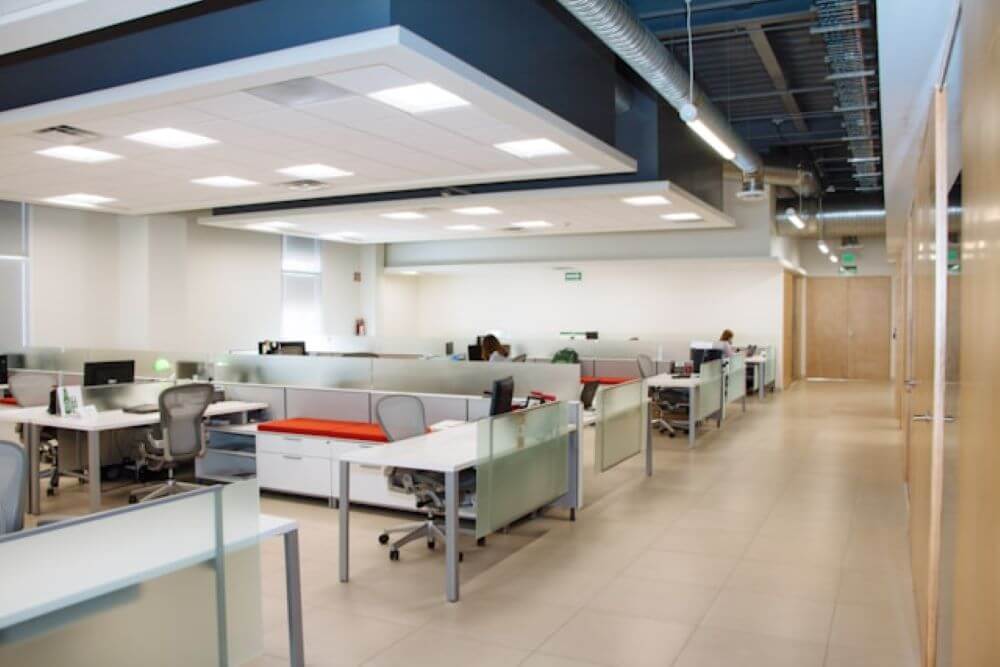
The antiquated model of “rows of desks” is over. Teams these days need to collaborate and focus. They need breakout spaces and dedicated work zones all in one office.
Here’s what actually works:
- Hot desks: designed for hybrid employees who only come into the office a few days per week
- Quiet zones: for deep, focused work
- Phone booths: for private calls without disturbing the open floor
- Collaboration areas: with whiteboards and casual seating
- Wellness spaces: even a small lounge or kitchen area makes a difference
Two-thirds of business leaders are redesigning their office footprint for hybrid work. If your workspace still looks like it’s from 2018, you’re behind.
Don’t Forget The Small Stuff
The tiny details are what people remember. Make sure your fully-equipped office has:
- Good coffee and snacks (seriously, this matters more than you think)
- Plants and natural light wherever possible
- Clean, well-stocked bathrooms
- Lockers or storage for hybrid workers
- Bike racks or commuter-friendly access
These little details are what make an office go from “okay” to somewhere you enjoy spending time.
Putting It All Together
An optimized office is not about spending big bucks or keeping up with every trend. It’s about providing your team with the tools they need and deserve, the space they need and deserve, and the environment they need and deserve to do their best work.
To quickly recap what every modern office needs:
- Ergonomic furniture that doesn’t wreck people’s backs
- Solid tech that just works (Wi-Fi, AV, hardware)
- A layout designed for hybrid teams — not 2015 cubicles
- Collaboration tools your team will actually use
- The small touches that make people want to come in
When these fundamentals are correct, you create an office environment that empowers your employees, not hinders them.
Fact: An office that’s fully-stocked with everything your team needs is an investment. Not an expense. Productivity. Retention. Engagement. It all starts there.
Begin with human needs, add technology, design for how your teams work now. If you do these things you’ll create a workspace that employees want to spend time in each day.