
Creating brand reels no longer requires stitching together short clips, managing multiple tools, or waiting on long production cycles. You can now approach video creation as a guided, intelligent process where ideas move smoothly from concept to final edit. With platforms that combine generative video models and automated editing, you gain more control over quality, scale, and consistency. When you blend Sora 2 footage with invideo, you are essentially working with an AI-powered production environment that adapts to your intent, your brand voice, and your timeline.
In this evolving landscape, the Sora AI video generator represents a shift in how you think about visual storytelling. Instead of planning around technical constraints, you can focus on narrative, structure, and message, while the system handles execution.
Understanding the Sora 2 and Invideo combination
Sora 2 is OpenAI’s latest video-clip generation model, designed to produce up to 12-second clips with significantly improved realism, physics accuracy, and instruction-following compared to earlier versions. On its own, it excels at generating highly detailed scenes. When combined with invideo, those clips become building blocks for complete, long-form videos and custom brand reels.
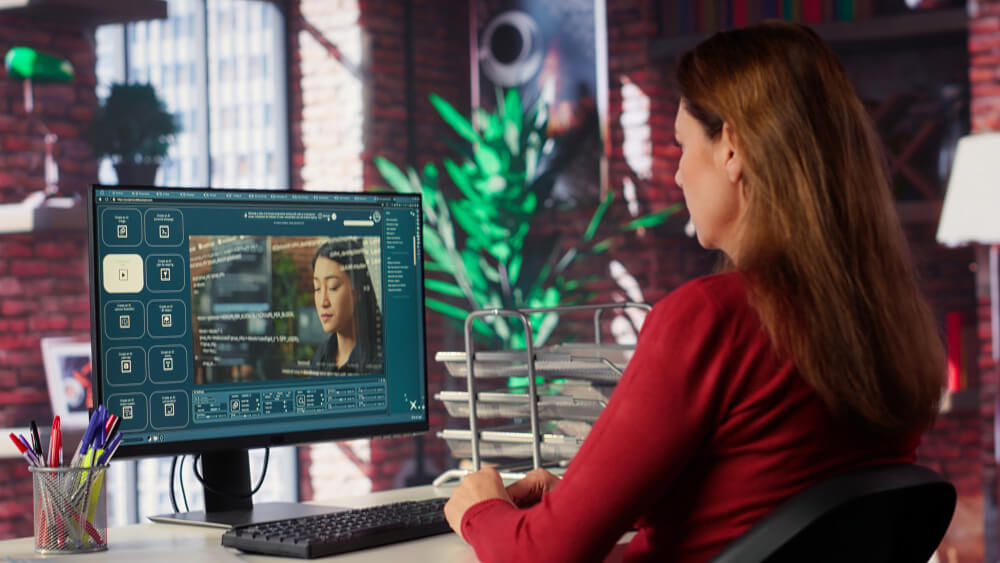
Invideo functions as an AI production house. Rather than acting as a simple editor, it makes hundreds of creative decisions autonomously. Scripts, storyboards, visual styles, transitions, pacing, and edits are handled within a single workflow. You provide direction, and the system assembles a polished video that is ready to publish, often within 10–15 minutes.
Custom Brand Reels in AI-Powered Storytelling
Brand reels serve as compact narratives. You use them to introduce products, explain services, share stories, or maintain a consistent presence across platforms. The challenge has often been balancing speed with quality. Traditional workflows slow you down, while template-driven tools can limit originality.
With invideo, you can align generated visuals from Sora 2 with your brand’s tone and goals. This creates reels that feel intentional rather than assembled. Whether you are a marketer, freelancer, or business owner, this balance helps you communicate clearly without overextending resources.
Key capabilities that unlock longer, richer videos
One of the most practical advantages of using invideo with Sora 2 is the removal of common creative restrictions.
You are no longer limited to 12-second outputs. While Sora 2 generates individual clips, invideo stitches them into full-length videos of any duration. This matters for explainers, tutorials, event recaps, and brand stories that need time to develop.
Visual realism is another defining feature. Sora 2 understands physical environments, character movement, and scene continuity. When these clips are edited within invideo, transitions feel natural, and the overall reel maintains coherence across scenes.
There are also no watermarks. You can generate and edit as many videos as needed without branding artifacts, which is essential when producing client work or official brand assets.
How you use the Sora AI inside Invideo
Once you enter the workflow, the Sora AI video generator becomes most impactful when paired directly with invideo’s editing and automation features. In this context, invideo allows you to move from raw generative clips to refined brand reels without switching platforms or exporting files between tools.
You have three main ways to work with Sora 2 inside invideo:
- Using “Sora 2” directly in your prompt
You begin by writing a prompt and explicitly instructing the system to use Sora 2. You describe scenes, actions, environments, and styles, then hit generate. Invideo handles the assembly of these clips into a structured video.
- Using the “Agents & Models” flow
On the prompt page, you select “Agents & Models” at the bottom center and create a project using Sora 2. This approach works well when you want more control over how clips are generated and sequenced for different sections of a reel.
- Using the text/image-to-clip plugin
This method lets you generate individual clips with Sora 2 and replace or refine scenes during editing. It is useful when you want to swap visuals without rebuilding the entire video.
After this stage, you can explore complementary workflows supported by AI video apps, particularly when coordinating visual assets across campaigns or teams.
Maintaining consistency with reference images
One challenge in generative video has been maintaining consistency across scenes. Invideo addresses this by allowing you to add reference images. When you provide a reference, Sora 2 aligns character design, environments, and visual style across generated clips.
This is especially valuable for brand reels. You can maintain the same color palette, spokesperson appearance, or setting from start to finish. The result is a cohesive narrative that reinforces brand identity instead of fragmenting it.
Practical value across industries and roles
This combined workflow adapts well to different professional needs. As a marketer, you can create UGC-style ads, service promos, or social clips quickly. Freelancers and agencies can deliver client work without expanding production overhead.
Small business owners and solopreneurs benefit from speed and autonomy. You can produce onboarding videos, local promos, or announcements without hiring external teams. Professional service providers can explain offerings clearly through visual storytelling.
Educators, course creators, and faceless channel operators can turn scripts into structured videos that support learning. Filmmakers and storytellers can prototype scenes and concepts before committing to full-scale production.
Supporting business workflows beyond video creation
Video production rarely exists in isolation. While planning campaigns, you may also find yourself writing a request for proposal to external partners or setting up a startup Business checking account to manage project finances. Invideo fits naturally into these broader workflows by reducing production costs and timelines, which helps you plan more efficiently.
Because invideo centralizes scriptwriting, visual generation, and editing, you spend less time coordinating tools and more time aligning content with business objectives.
Models and options for different creative needs
Within invideo, you can choose between different Sora 2 modes. The standard option balances quality, speed, and cost, making it suitable for most brand reels. The Pro version focuses on flagship quality and precision, which works well for high-visibility campaigns or cinematic projects.
Across these options, invideo acts as the orchestration layer. It decides pacing, transitions, and layout while respecting your prompts and references. This approach makes the platform accessible not only to experienced creators but also to those exploring ideas for the first time.
From idea to finished reel
The process of creating a custom brand reel becomes straightforward. You describe your idea, choose the appropriate model, and let the system generate and assemble clips. Invideo may take over 300 creative decisions automatically, producing a ready-to-ship video within minutes.
By blending Sora 2 footage with invideo’s autonomous production flow, you move closer to a future where creative intent matters more than technical execution. The Sora AI video generator plays a central role in this shift, enabling you to translate ideas into compelling brand reels without unnecessary friction.
In this setup, you are not just editing videos; you are directing an AI production house that helps your brand communicate with clarity, consistency, and scale.